Every drive, recorded by itself
MyGarage notices when you drive, records the route, the distance and the stops, and turns a fuel stop into a fill-up. On your phone, with no account.
Most car apps only know what you type into them. Drives fills in the part you never write down: where the car went, how far, and where it stopped on the way. You drive as usual; the phone notices, records the drive, and stops when you park. A stop at a fuel station becomes a fill-up waiting to be logged, the odometer keeps up with the kilometres you drove, and years of driving become one map. Here is how each part works, and what stays on your phone.
It records by itself
Get in and drive. There is nothing to start and nothing to stop.
What gets recorded
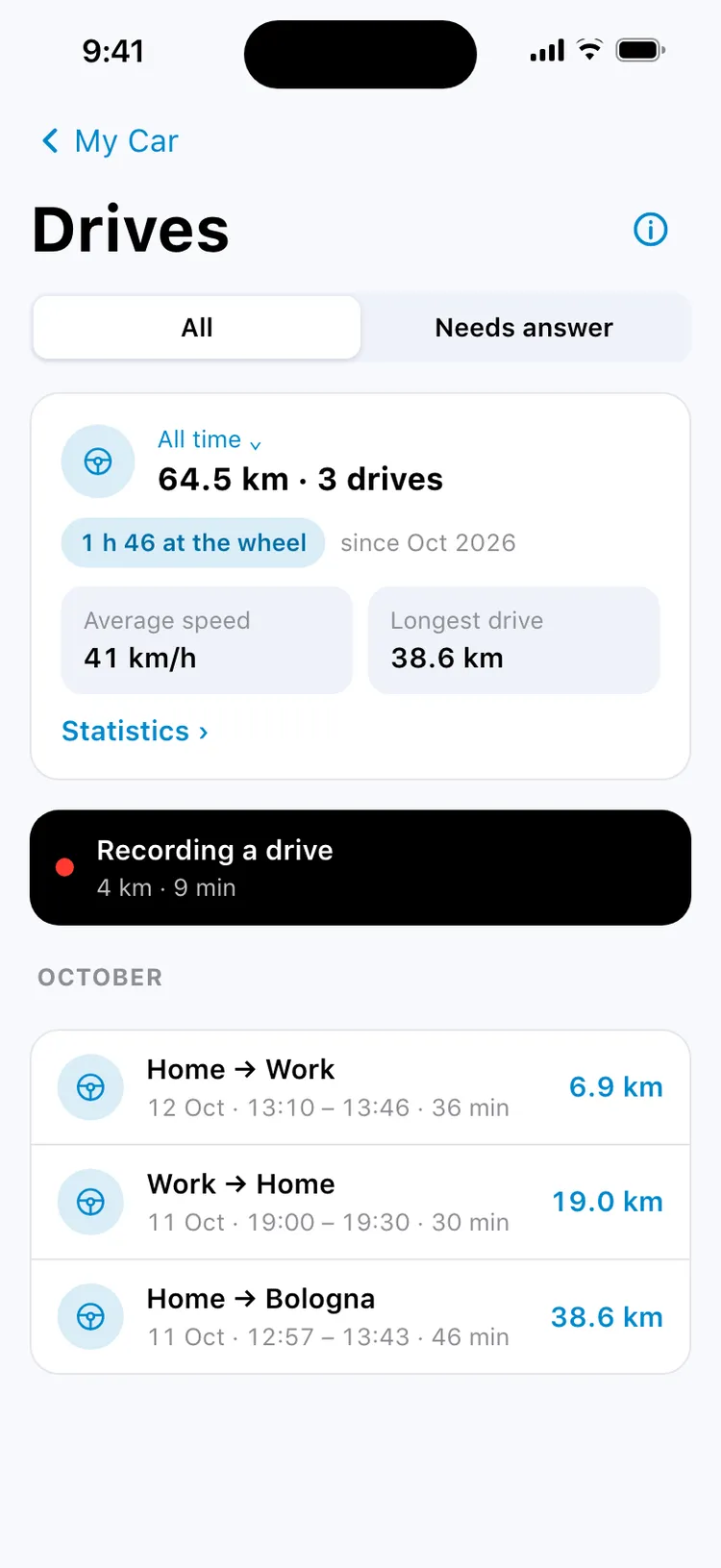
When the phone's own motion detection says you are driving, MyGarage starts a drive. When you park, the drive ends — sooner at a saved place such as home or work. Each drive keeps its route on a map, the distance, the time at the wheel, the average and top speed, the climb, and every stop along the way.
Drives live under My Car: this week's kilometres with a bar per day, the last drive, and the full list by month. Statistics show the distance by month, how fast you usually drive, which days you drive most and your usual drive.
The battery
Between drives MyGarage does not keep the GPS on. It waits for the phone to report that you are driving, and only then follows the route. If you would rather start every drive yourself, choose Manual only and nothing records without you.
While you drive
Nothing asks for a tap while the car is moving.
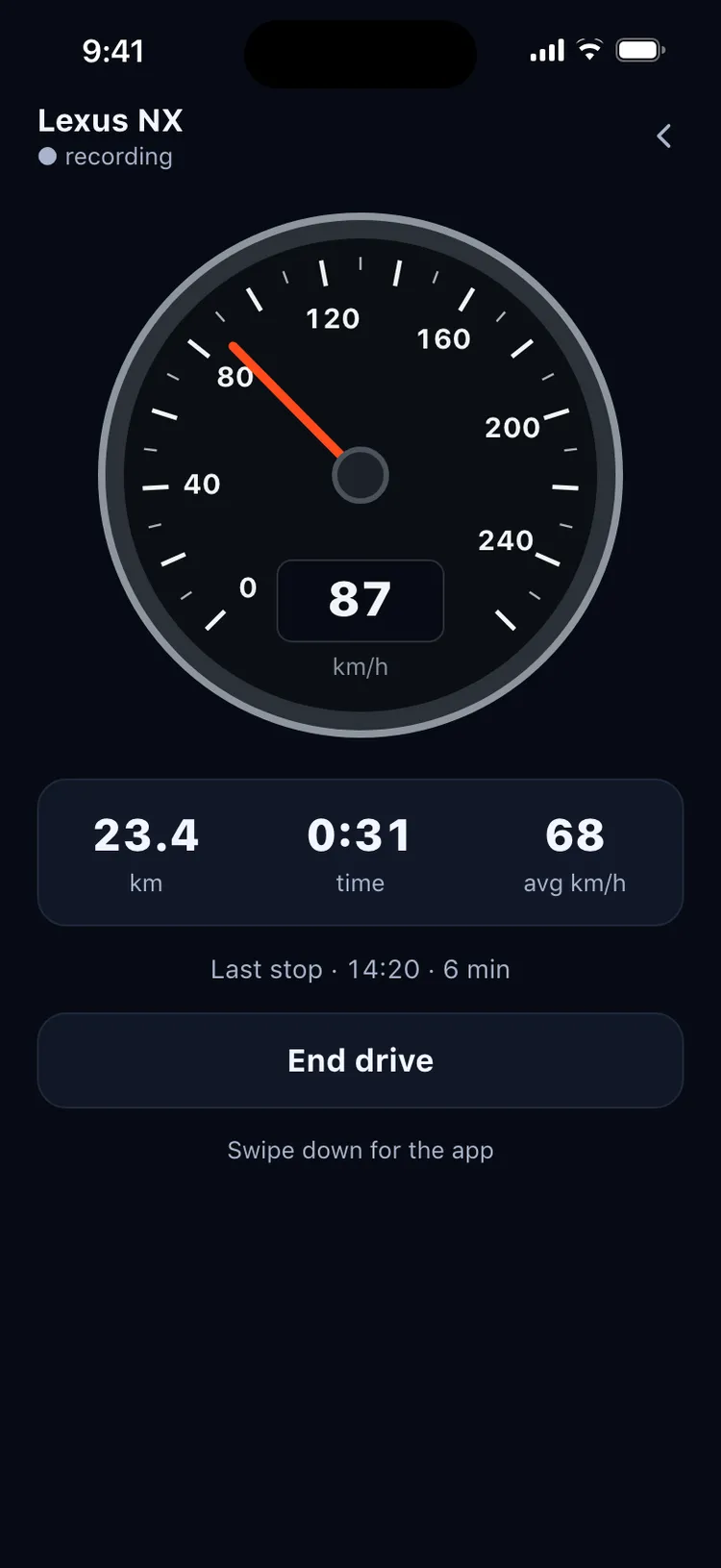
On iPhone, a Live Activity shows the distance and the time on the Lock Screen and in the Dynamic Island, and on the CarPlay dashboard with iOS 26. On Android, a quiet notification does the same. Open MyGarage during a drive and it shows the Driving view: a large speedometer, the distance, the time and the average, with the screen kept awake.
Every question the app has — whether this was your drive, whether you refuelled — waits until the drive is over.
Only your drives count
A bus ride or a friend's car never ends up in your car's numbers.
How it tells
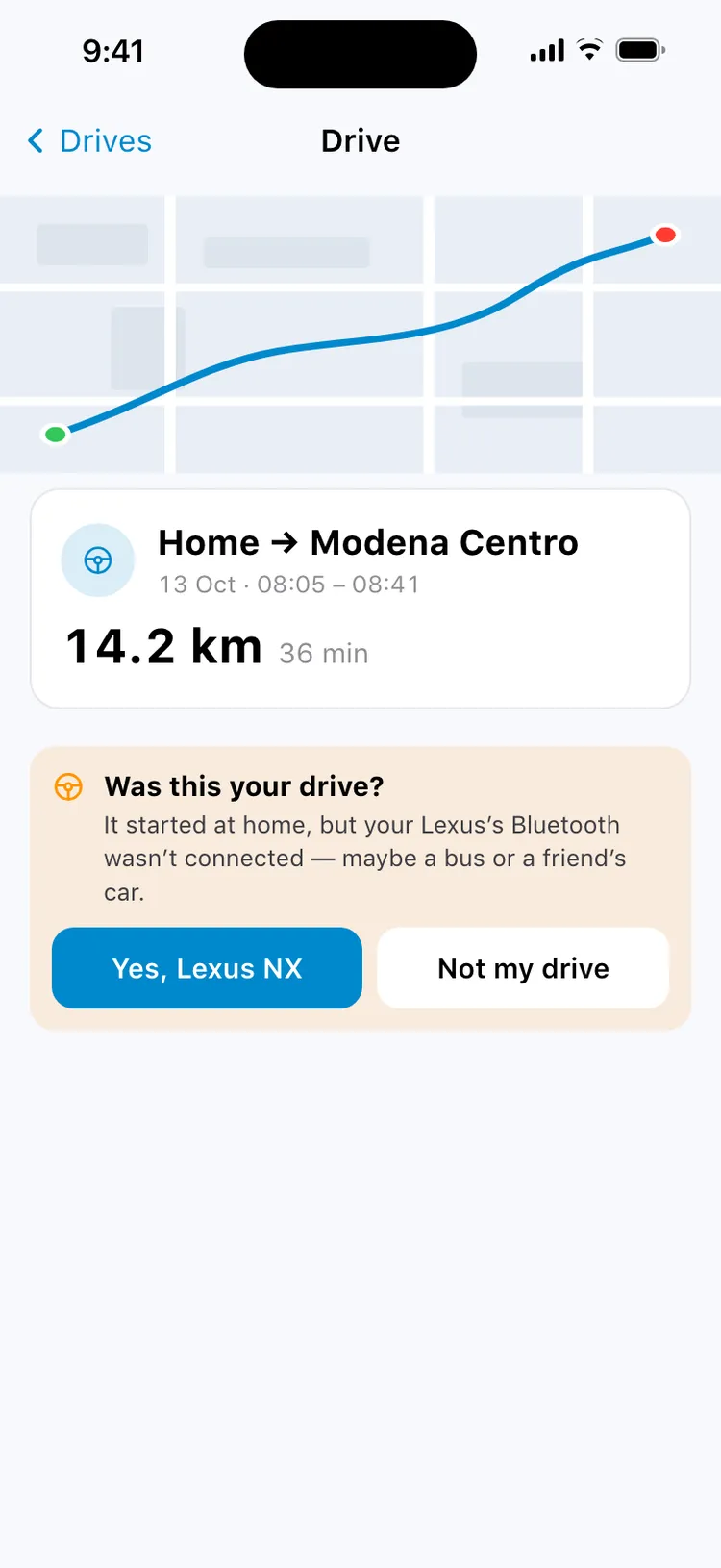
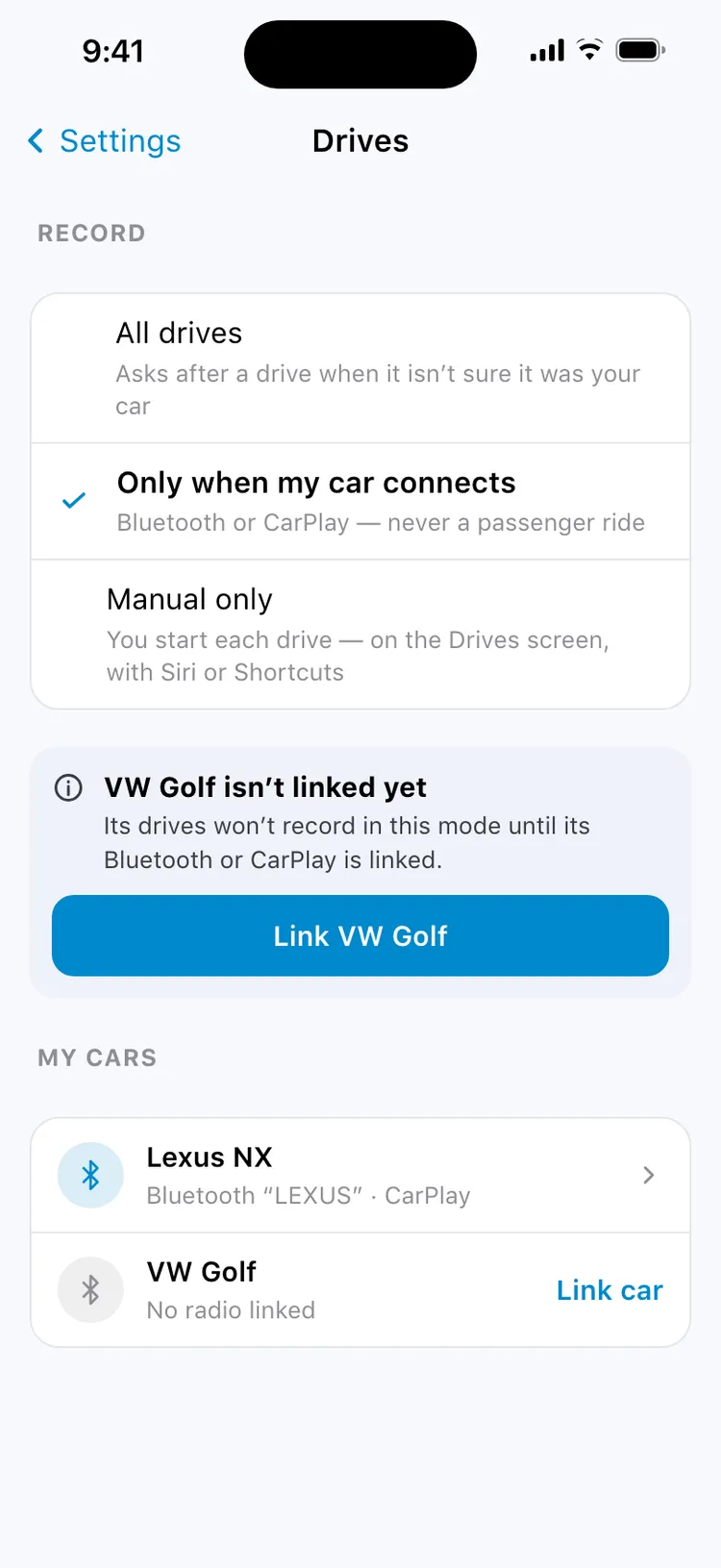
Two things decide. The car's own radio: link your car's Bluetooth, or CarPlay on iPhone, once, and a drive with it connected is that car's — with several cars, the radio picks the right one. And where the car was parked: a drive that starts right where your car was left counts as that car's.
When it isn't sure
No car radio connected, your car's own radio stayed silent, or your car was parked somewhere else — maybe a bus, a taxi or a friend's car. Then the drive waits with one question, Was this your drive?, and says why it asks. Until you answer, it counts nowhere. Say Not my drive and it stays out of every total.
A stop becomes a fill-up
Stopped for fuel? The fill-up is already half written.
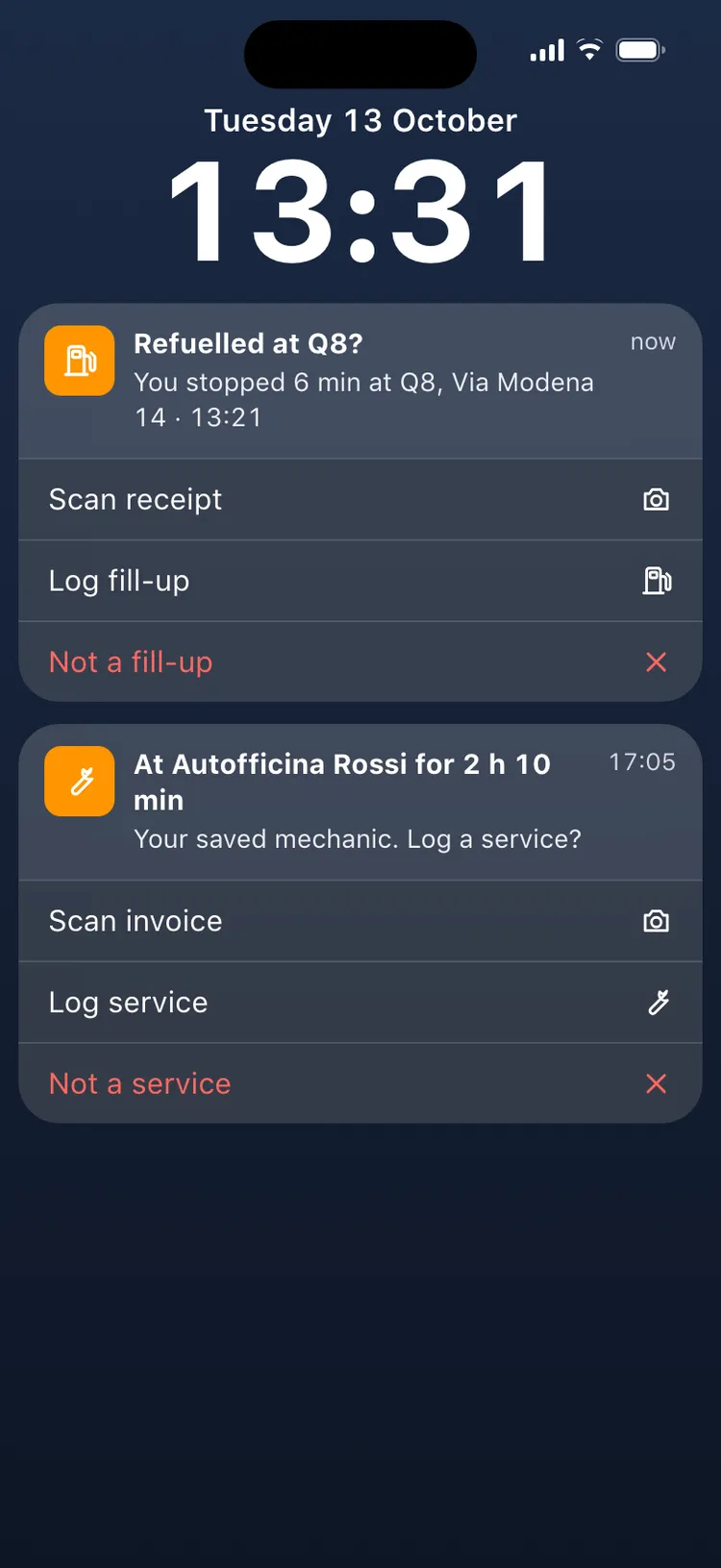
Every stop inside a drive gets a name: the saved place it was at, or the street. A short stop at a fuel station or a charger, or a long one at your saved mechanic or dealer, is remembered. When the drive ends, one quiet notification asks — Refuelled at Q8? — with three answers: scan the receipt, log the fill-up, or not a fill-up. The form opens with the station, the date, the time and the odometer already filled in.
Ignore it and nothing is lost: every stop not logged yet waits on a To log card on the Drives screen for a month. Say no three times at the same place and it stops asking there.
Station names
On iPhone, a station you never saved still gets its name and brand: MyGarage asks Apple Maps for the stations around that one stop. On Android, a station gets its name once you save it as a place — tap the stop and choose Save as a place.
On iPhone you can also say “Log fuel in MyGarage” without opening the app. Siri asks for the amount and the total, and the fill-up is saved with the station of your last fuel stop.
Your car stays up to date
The odometer keeps up, and the car is where you left it.
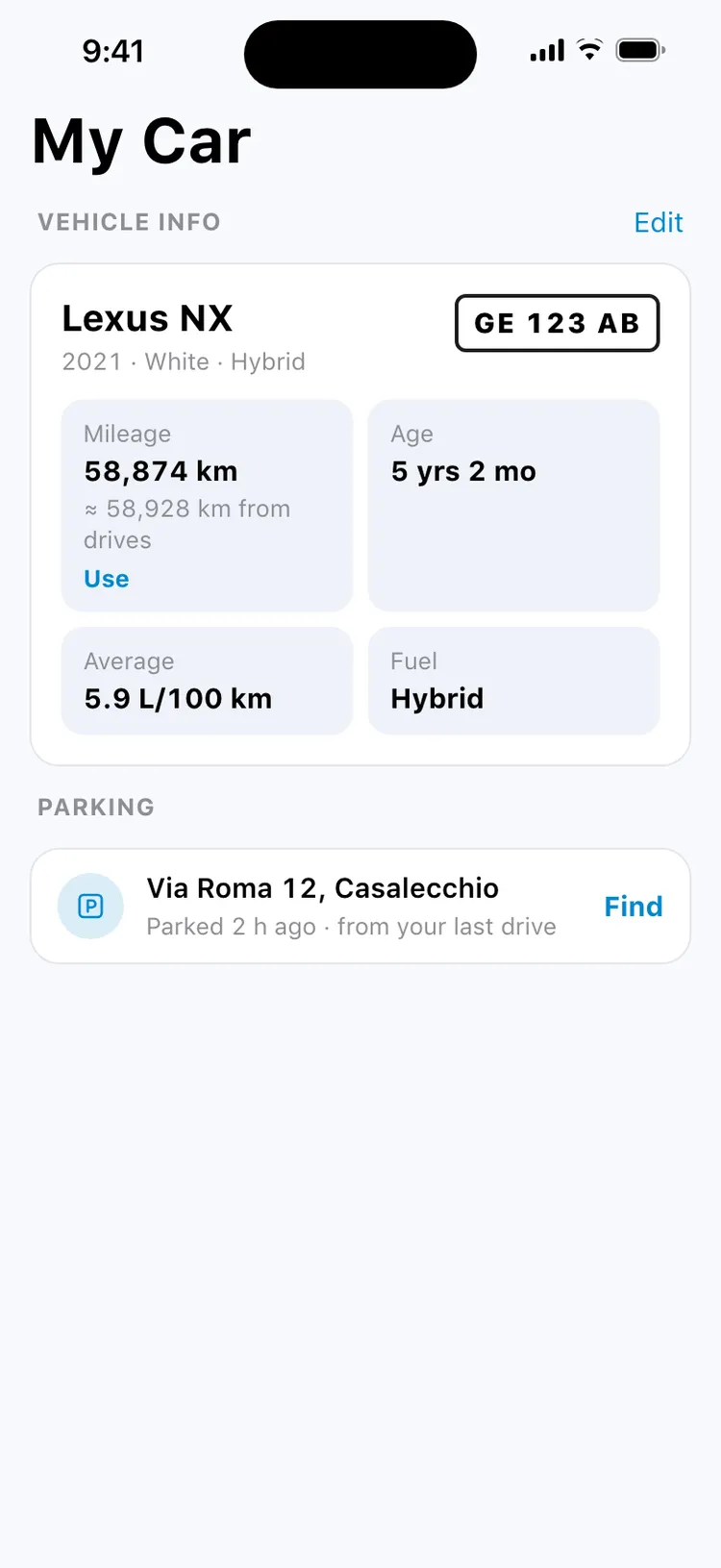
MyGarage adds the drives since your last odometer reading and shows it beside the mileage: ≈ 58,928 km from drives. It never changes the mileage by itself — tap Use when it looks right. The fill-up form offers the same number under an empty odometer.
When a drive ends, the parking pin moves to where you left the car, marked from your last drive. And drives inside a trip's dates join that trip, so its distance comes from the road itself; after a long drive away from home and a night there, MyGarage asks the next morning whether it looks like a trip.
Every road you drove
Years of driving on one map.
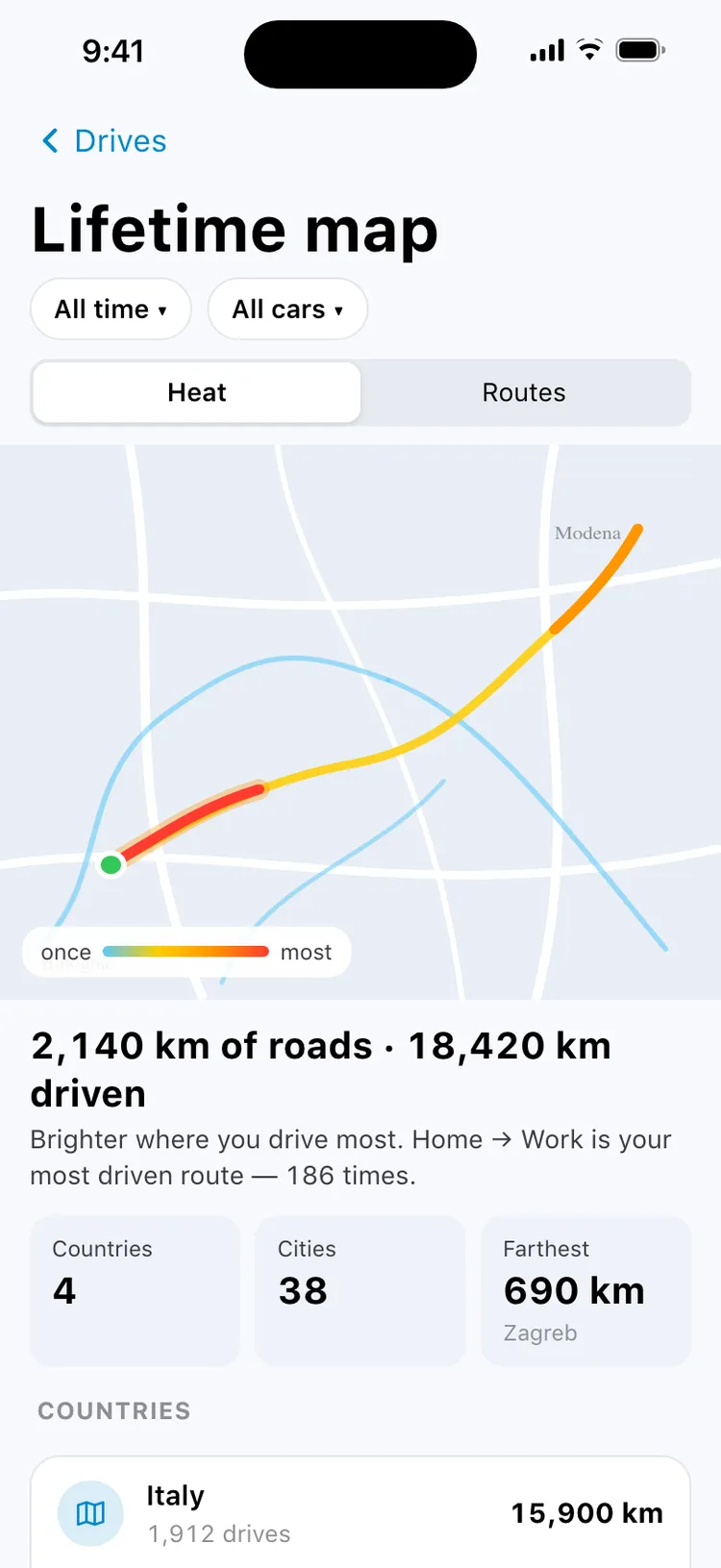
The lifetime map draws every road once, coloured by how often you drove it, so the daily commute glows and a holiday road stays a thin line. Switch to Routes to see each drive as its own line. Underneath: how many kilometres of road you have covered against how many you drove, your most driven route, the countries and towns you reached, and the farthest point from home.
Kilometres count where they were driven: a drive that crosses a border counts in each country, and a country opens its drives in full. Town names come from the phone's map, looked up once per place and kept on the phone — and you can rename any of them.
Replay a drive
Watch any drive again, stop by stop.
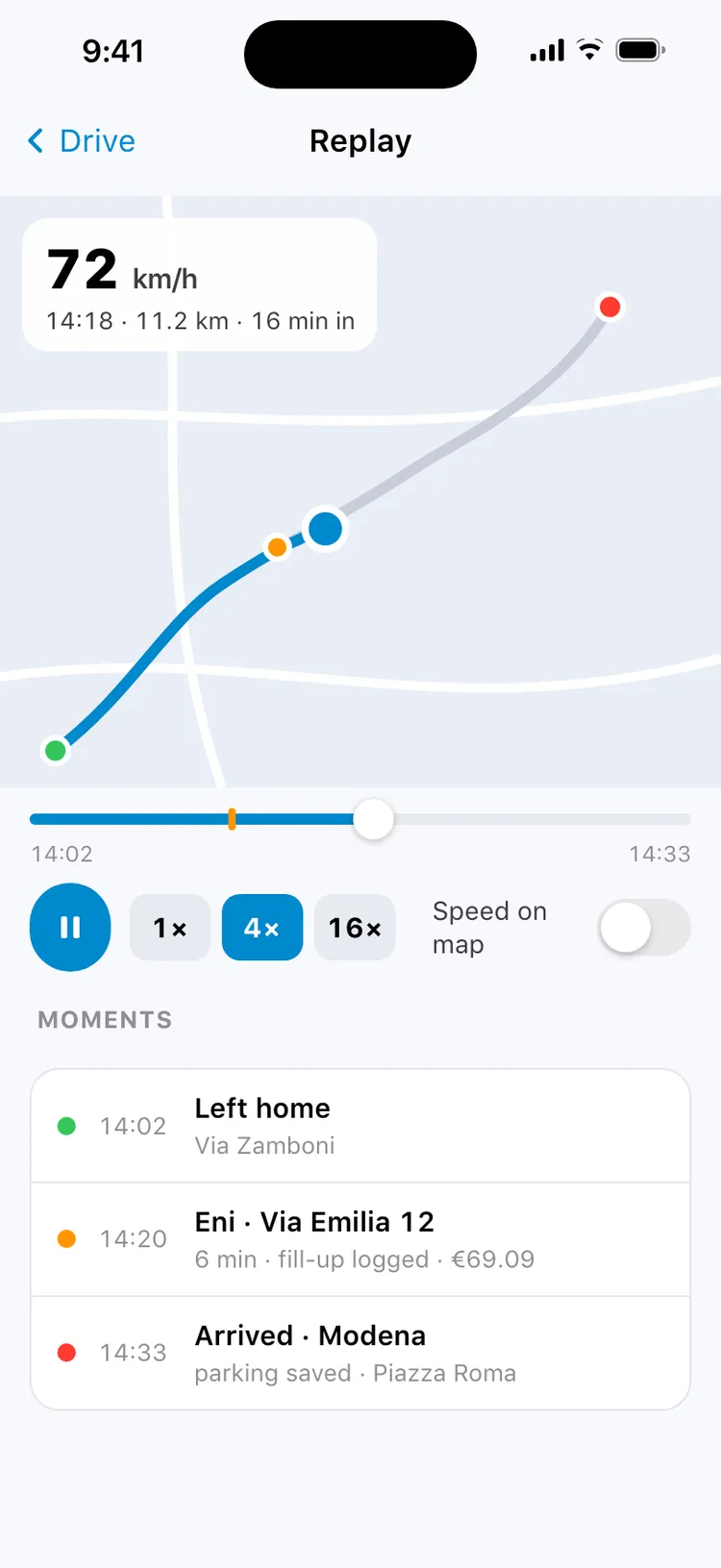
Under a drive's map, Replay plays it back at 1×, 4× or 16×, with the speed at each moment and a slider to jump anywhere. Colour the route by speed, or tap a moment — leaving, each stop with what you logged there, arriving — to jump to it. The replay walks the same recorded points as the drive's numbers, so it ends exactly at the drive's distance.
If you chose to keep full routes for a shorter time, an older drive still replays along its line on the map, at an even pace.
Private, and yours to switch off
Your drives are recorded on your phone and stay there.
What stays on the phone
Routes, stops and every number are recorded and kept on the phone. There is no account, and your drives are never sent to MyGarage or to advertisers.
What the phone asks a map about
To name a stop or a town, the phone asks its own map service about that one point — Apple Maps on iPhone, Google on Android — never about a whole drive.
Your choice
Record All drives, Only when my car connects (never a passenger ride), or Manual only. Keep full routes forever, for a year or for 90 days. Turn drives off, or delete every drive, at any time in Settings.
What your phone asks when you turn Drives on
One question at a time, and only after you tap Turn on drives.
| iPhone | Location — choose “Allow While Using App”; a few days later iPhone offers “Change to Always Allow”, which lets drives start with the phone in your pocket. Then Motion & Fitness, to tell driving from walking and trains. Nothing about your health is read. |
|---|---|
| Android | Location (precise, while using the app), then “Allow all the time”, physical activity, and notifications on Android 13 and later. |
| If you say no | With location only while using the app, start each drive yourself — from the Drives screen, or with Siri on iPhone. Without location, drives can't be recorded; everything else in MyGarage works as before. |
What you need
| Drives | iOS 18 or later; Android 8 or later. “Only when my car connects” needs Android 12 or later. |
|---|---|
| Live Activity and Siri | iPhone. The CarPlay dashboard needs iOS 26. |
| A connection | Not for recording. Station and town names are looked up when there is one. |
| An account | None. There is nothing to sign up for. |
Frequently asked questions
How does MyGarage know I am driving?
The phone's own motion detection tells driving from walking or sitting still. When it reports driving, MyGarage starts recording the route, and when you park the drive ends. Between drives the GPS stays off. Link your car's Bluetooth or CarPlay once and MyGarage also knows which car it was.
Will it record when I am a passenger or on a bus?
A drive it can't place on your car — no car radio connected, or your car parked somewhere else — waits with one question, Was this your drive?, and counts nowhere until you answer. Choose Only when my car connects and drives start only when your car's Bluetooth or CarPlay connects, so a passenger ride is never recorded.
Is my location sent anywhere?
Your drives are not: routes, stops and numbers are recorded and kept on your phone, and there is no account. To name a stop or a town, the phone asks its own map service — Apple Maps on iPhone, Google on Android — about that one point.
Is it free?
Yes. Drives are part of MyGarage, which is free, with no account and no subscription.
Get MyGarage
Available on the App Store and Google Play. What MyGarage sends anywhere, for drives and for reading documents, is on the AI and privacy page and in the privacy policy.